AI Cost by Customer: What OpenAI, Anthropic & Google Won't Show You
OpenAI, Anthropic, and Google break your AI spend down by project, API key, and model, but never by your own customers or features. Here is what their cost dashboards and APIs reveal, what they hide, and how to close the gap.
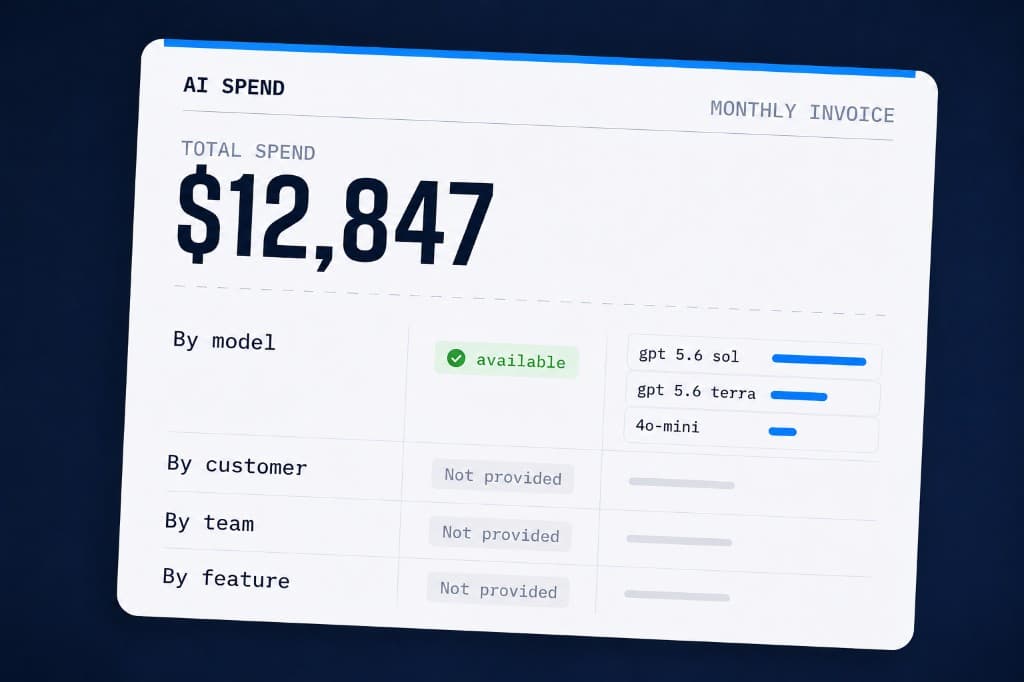
If you run a product on top of a model provider, whether OpenAI, Anthropic, Google, or another, finance eventually asks a simple question: which customers and features are driving our model bill? Answering it lands on whoever owns AI cost. Each provider gives you a billing dashboard and the API behind it, both reading the same data, and neither answers that question. Here is what each hands you, and what it leaves out.
Quick answer: every provider, in its dashboard and the API behind it, organizes spend around its own world (projects, workspaces, keys, models), not yours (this feature, that customer). Some let you push a tag down to the bill, but only with setup. Either way, mapping spend to your customers is yours to build.
How AI cost and usage data works
Before the per-provider details, the shape is the same almost everywhere. Each provider gives you two surfaces onto the same data: a billing dashboard you click through, and an API behind it you can pull programmatically. And each splits what it reports into two separate numbers.
Usage is counts, tokens, requests, characters, or audio minutes, depending on the provider, at whatever time grain that provider offers, which can be per-minute, hourly, or daily. It is not dollars. To turn it into money, you apply each model's price to those counts yourself.
Cost is billed dollars that reconcile to your invoice. It often lands at a coarser grain than usage, daily on many platforms, though that varies by provider. That gap is one reason a live usage estimate and the final bill rarely match to the penny.
What both share is how they are grouped: around the provider's world, projects, workspaces, API keys, and models, not around yours, this feature or that customer. The rest of this post is how each provider draws that line, and where one or two go a step further.
OpenAI: what the cost and usage APIs show
OpenAI shows cost and usage in its dashboard, with the same numbers in its Admin API. Cost is billed dollars by project and model, daily. Usage adds token and request counts by API key and user, down to the minute.
The catch is that word "user": it means a member of your OpenAI org, a teammate, not your customer. The end-user tag you can pass on a request is for abuse monitoring, not attribution. So the finest cut you get is project, key, and model, never your feature or customer.
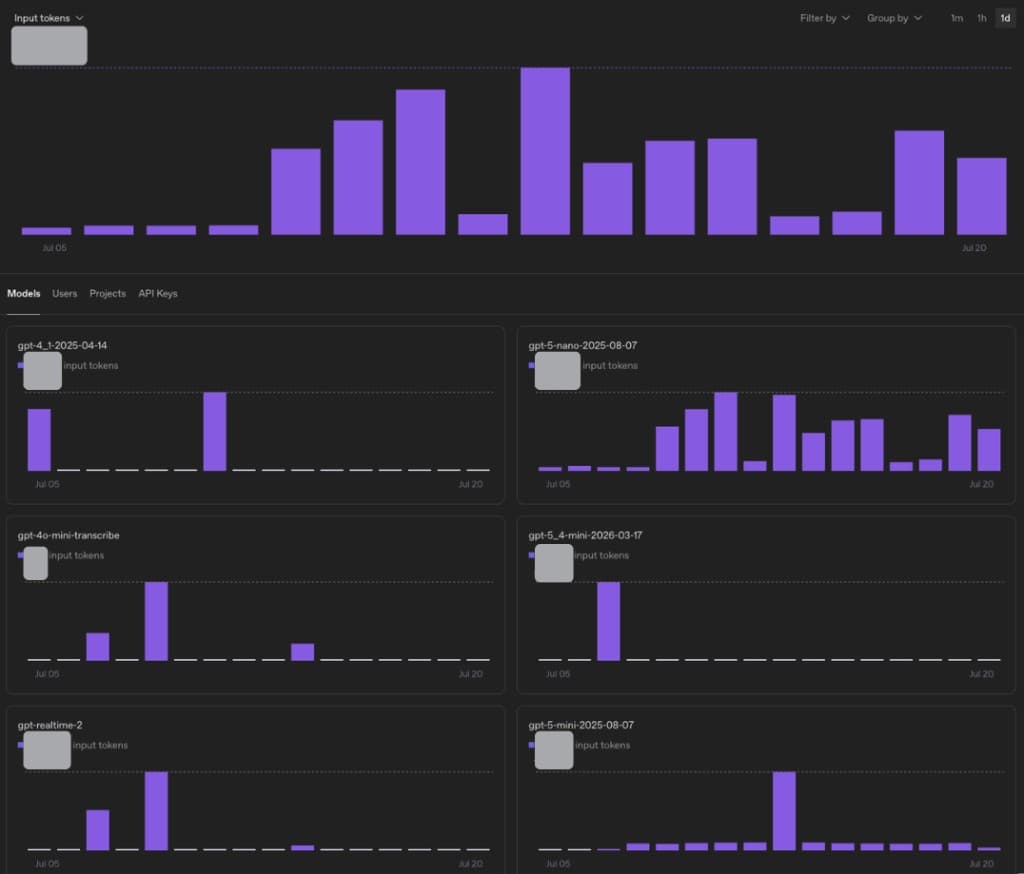
OpenAI's usage dashboard is a good example of the pattern: it breaks input tokens down by model, and on the other tabs by user, project, and API key. Useful, but there is no tab for your own features or customers, which is the split finance actually asks for.
Anthropic (Claude): cost and usage APIs
Anthropic's Console shows the same shape, and its Admin API exposes it too. Cost is billed dollars by workspace, model, and service tier, daily. Usage adds token counts by API key and the account behind it, down to the minute. As with OpenAI, that account is a teammate, not your customer, so again you stop at workspace, key, and model.
One aside, since it comes up: Anthropic does report per-developer numbers by email, but only for its own coding tool, through a separate analytics API. That is your team's Claude Code use, not your app's traffic.
Google (Gemini and Vertex AI) cost tracking
Google is shaped differently: there is no single usage view. Gemini and Vertex AI spend flows through Cloud Billing, where the console shows it and a BigQuery export gives per-project, per-SKU detail by day.
But because it bills through the cloud, Google adds a lever the pure API providers lack: on Vertex AI you can attach labels to each request, a customer or feature tag, and those labels land next to the cost in the export. It takes setup, but it is the closest you get to per-customer cost straight from the bill.
OpenAI vs Anthropic vs Google: cost and usage compared
What the billed-dollar data gives you:
| Provider | Where it lives | Time | Breaks down by | Does not show |
|---|---|---|---|---|
| OpenAI | Dashboard + Costs API | Daily | Project, line item (product and model) | Key, your feature, your customer |
| Anthropic | Console + Cost Report | Daily | Workspace, model, token type, tier | Key, your feature, your customer |
| Cloud Billing console + export | Daily | Project, SKU (model and token type) | Your customer, unless you set labels |
What the usage (token) data gives you:
| Provider | Where it lives | Time | Breaks down by | Still hidden |
|---|---|---|---|---|
| OpenAI | Dashboard + Usage API | Down to 1 min | Project, API key, model, org user, batch | Your feature, your customer |
| Anthropic | Console + Usage Report | Down to 1 min | Workspace, API key, model, tier, org account | Your feature, your customer |
| API response, per call | Per request | Model, token counts | Your feature or customer, unless you label |
Azure, Bedrock, ElevenLabs, and Deepgram: the same pattern
The rest follow the same pattern. Voice tools like ElevenLabs and Deepgram meter their own units, characters and audio minutes, split by project, workspace, or key. Azure (Azure OpenAI) and AWS (Bedrock) have no model-specific API: spend lands in the cloud bill, read through Azure Cost Management or AWS Cost Explorer and sliced by subscription, account, service, and tags. As with Google, only tags you set yourself carry your own identifier. The shape never changes: their structure, not your customers.
Who can see AI cost data: finance may see only the monthly invoice
Worth naming who holds the login. OpenAI and Anthropic keep their cost and usage views inside the developer org that engineering owns, so finance usually sees only the monthly invoice, not the console or the API. Google is different: billing sits on a separate account that finance or procurement often controls, so they may have the Cloud Billing console and budgets. Either way, none of it shows cost by your customer or feature.
How to attribute AI cost to customers and features
So it holds across every provider: the bill is organized around their world, not yours. Turning it into the allocation finance wants, cost by customer, feature, or team, is on you. You attach your own identifier at the call and join it back to cost yourself, the job of a dedicated AI cost management layer.
That work pays off, because attribution unlocks the levers: move an expensive feature to a cheaper model, flag a customer who costs more than they pay, set a budget per team. You cannot optimize what you cannot see.
That is what our SDK does: tag each call with a feature, customer, or environment, and it lines those tags up against real cost across providers. If that is the part you are stuck on, you can try SuperPenguin free.
Sources
- Usage and Cost API, Anthropic.
- Cost Report, Anthropic.
- Claude Code Analytics API, Anthropic.
- Usage and cost APIs, OpenAI.
- Export Cloud Billing data to BigQuery, Google.
- Cost Management query API, Microsoft.
- Analyzing your costs with AWS Cost Explorer, AWS.
- Usage analytics, ElevenLabs; Get Project Usage, Deepgram.
Frequently asked questions
How do you attribute LLM token costs to customers and features in a multi-tenant AI app?
Attach stable identifiers to every model request, then record the provider, model, usage, and calculated cost with them. In SuperPenguin, start with customer_id, feature, team, and environment metadata. Add prompt_key and prompt_version when you need to compare prompt changes, plus any custom tags your business needs. You can then aggregate request costs by those dimensions while keeping provider invoices as the account-level source of truth.
How does per-request AI cost attribution work in practice?
SuperPenguin wraps the provider client you already use and records the model, token or billing-unit usage, and the metadata attached to that request. The provider call still goes directly to the provider. Each request is priced and can be rolled up by customer, feature, team, environment, or prompt version, while connected billing data provides the broader invoice view.
Keep reading
Reasoning Tokens Are the Invisible Line Item Blowing Up Your Bill
Reasoning token cost can make a lower-priced model more expensive in practice. Here is what teams and AI cost tools should measure next.
How to Track Your Team's AI Tool Spend, Adoption, and ROI
Your team's AI tools are now a real line item. Here is how to track AI usage across your teams, orgs, and enterprise: what you spend, who actually uses it, and whether it pays for itself, all without surveillance.
Prices Fell. Your Bill Didn't.
Why are AI costs rising as models get cheaper and more capable? Because better economics invite more features, users, agents, and work.